
Salam hangat teman-teman, semoga teman-teman sehat selalu ya, Pada tutorial kali ini saya akan mencoba membagi Cara Mencetak Konten Tertentu Menggunakan Javascript.
Pada tutorial kali ini kita akan memberikan kemudahan kepada pengguna untuk mencetak bagian konten tertentu dari website, bukan mencetak seluruh halaman website.
Sekarang saya akan mencoba memberikan tutorial Cara Mencetak Konten Tertentu Menggunakan Javascript secara singkat berikut langkah-langkahnya:
– Pertama teman-teman buat struktur dasar htmlnya dulu seperti yang saya sudah ketikan di bawah ini:
<!DOCTYPE html>
<html>
<head>
	<title>cara mencetak konten tertentu menggunakan javascript</title>
</head>
<body>

</body>
</html>
– Kedua teman-teman berikan class container untuk membungkus konten yang akan kita buat. Pemberian class container ini hanya supaya contoh yang saya berikan lebih rapih saja.
<body>
	<div class="container">

	</div>
</body>
– Ketiga teman-teman buat dua div dan satu paragraf yang masing-masing kita beri id, id disini akan kita gunakan untuk membedakan konten yang akan kita cetak dan memudahkan javascript untuk mengakses elemen pada html. dan jangan lupa isi text di setiap div dan paragraph. Di sini saya menggunakan text dari lorem ipsum.
<div class="container">
		<h1>Mencetak Konten Tertentu</h1>
		<div id="konten1">Contrary to popular belief,
                Lorem Ipsum is not simply random text.
                It has roots in a piece of classical Latin literature from 45 BC, making it over 2000 years old.
                Richard McClintock, a Latin professor at Hampden-Sydney College in Virginia, looked up one of the more
                obscure Latin
                words, consectetur, from a Lorem Ipsum passage, and going through the cites of the word in classical literature,
                discovered the undoubtable source. Lorem Ipsum comes from sections 1.10.32 and 1.10.33 of "de Finibus Bonorum et Malorum"
                (The Extremes of Good and Evil) by Cicero, written in 45 BC</div>

		<br>

		<br><br>

		<div id="konten2">There are many variations of passages of Lorem Ipsum available, but the majority have
                suffered alteration in some form, by injected humour, or randomised words which don't
                look even slightly believable.
                If you are going to use a passage of Lorem Ipsum, you need to be sure there isn't
                anything embarrassing hidden in the
                middle of text. All the Lorem Ipsum generators on the Internet tend to repeat
                predefined chunks as necessary, making
               this the first true generator on the Internet. It uses a dictionary of over 200 Latin words,
               combined with a handful
               of model sentence structures, to generate
               Lorem Ipsum which looks reasonable. The generated Lorem Ipsum is therefore
               always free from repetition</div>

		<br>

		<br><br>

		<p id="p1">Lorem Ipsum is simply dummy text of the printing and typesetting industry.
                Lorem Ipsum has been the industry's standard dummy text ever since the 1500s, when an unknown printer
                took a galley of type and scrambled it to make a type specimen book. It has survived not only five
                centuries, but also the leap into electronic typesetting, remaining essentially unchanged.
                It was popularised in the 1960s with the release of Letraset sheets containing
                Lorem Ipsum passages, and more recently with desktop publishing software
                like Aldus PageMaker including versions of Lorem Ipsum</p>

		<br><br>
</div>
– Keempat kita buat tag button sebagai berikut:
<div class="container">
		<h1>Mencetak Konten Tertentu</h1>
		<div id="konten1">Contrary to popular belief,
                Lorem Ipsum is not simply random text.
                It has roots in a piece of classical Latin literature from 45 BC, making it over 2000 years old.
                Richard McClintock, a Latin professor at Hampden-Sydney College in Virginia, looked up one of the more
                obscure Latin
                words, consectetur, from a Lorem Ipsum passage, and going through the cites of the word in classical literature,
                discovered the undoubtable source. Lorem Ipsum comes from sections 1.10.32 and 1.10.33 of "de Finibus Bonorum et Malorum"
                (The Extremes of Good and Evil) by Cicero, written in 45 BC</div>

		<br>
		<button onclick="printContent('konten1')">Cetak</button>
		<br><br>

		<div id="konten2">There are many variations of passages of Lorem Ipsum available, but the majority have
                suffered alteration in some form, by injected humour, or randomised words which don't
                look even slightly believable.
                If you are going to use a passage of Lorem Ipsum, you need to be sure there isn't
                anything embarrassing hidden in the
                middle of text. All the Lorem Ipsum generators on the Internet tend to repeat
                predefined chunks as necessary, making
               this the first true generator on the Internet. It uses a dictionary of over 200 Latin words,
               combined with a handful
               of model sentence structures, to generate
               Lorem Ipsum which looks reasonable. The generated Lorem Ipsum is therefore
               always free from repetition</div>

		<br>
		<button onclick="printContent('konten2')">Cetak</button>
		<br><br>

		<p id="p1">Lorem Ipsum is simply dummy text of the printing and typesetting industry.
                Lorem Ipsum has been the industry's standard dummy text ever since the 1500s, when an unknown printer
                took a galley of type and scrambled it to make a type specimen book. It has survived not only five
                centuries, but also the leap into electronic typesetting, remaining essentially unchanged.
                It was popularised in the 1960s with the release of Letraset sheets containing
                Lorem Ipsum passages, and more recently with desktop publishing software
                like Aldus PageMaker including versions of Lorem Ipsum</p>
		<button onclick="printContent('p1')">Cetak</button>
		<br><br>
</div>
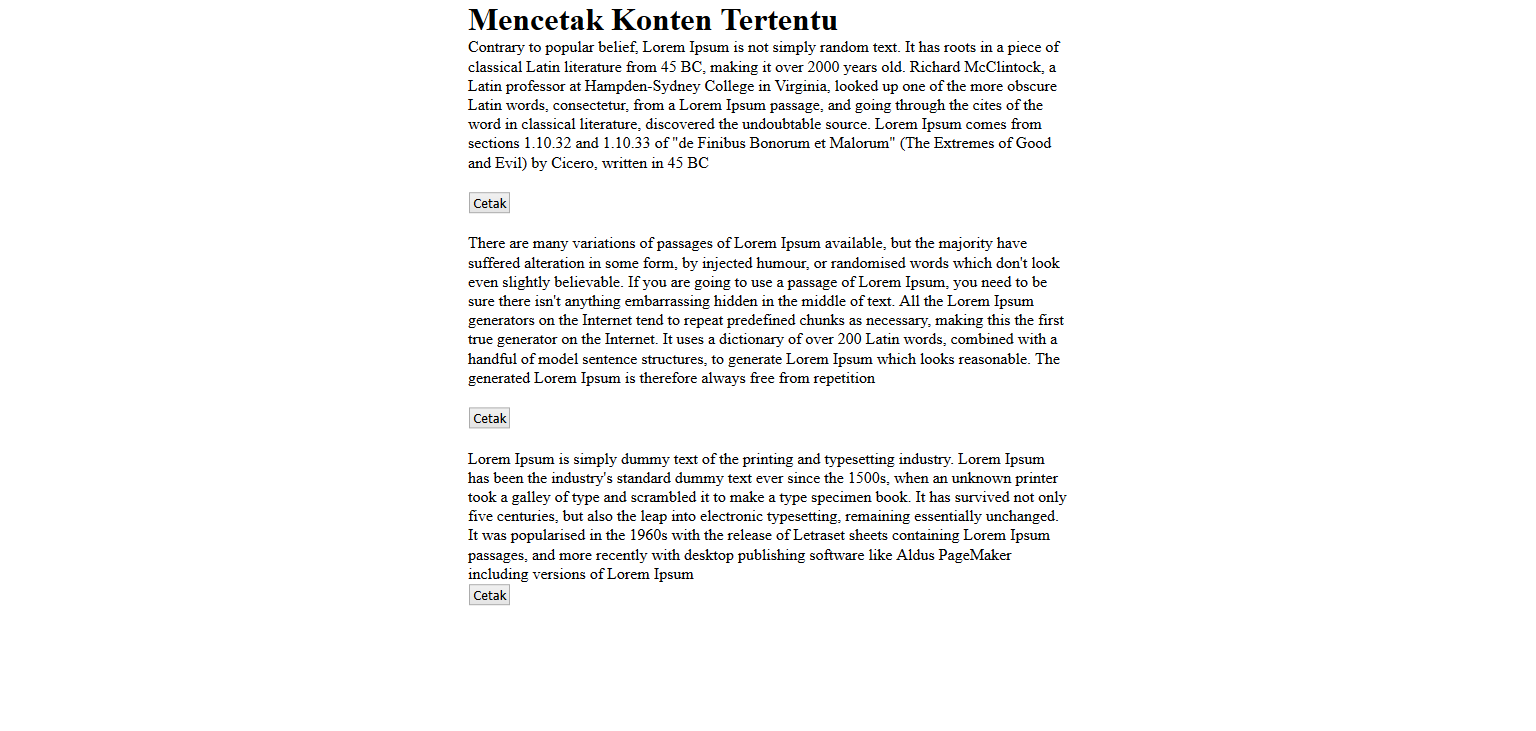
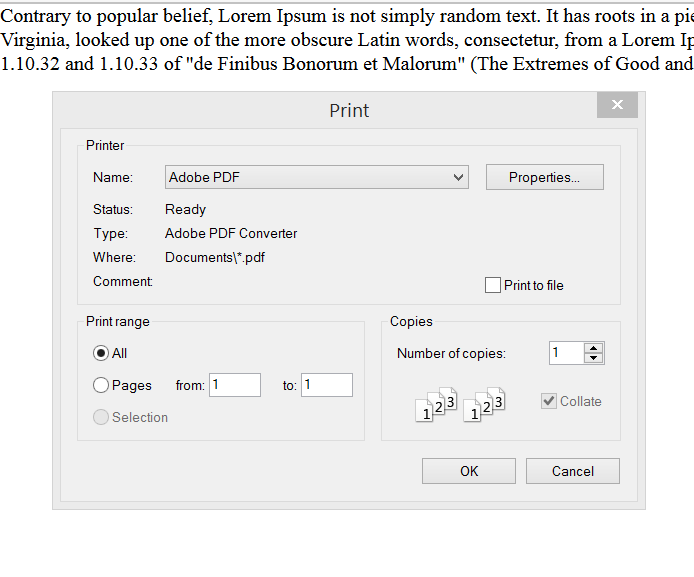
Jadi pada saat kita klik salah satu button maka elemen yang kita pilihlah yang akan kita cetak. Dimana fungsi printContent(‘’) ini lah yang akan menghubungkan antar elemen id html dengan javascript.
– Kelima kita buat javascriptnya setelah tag tittle untuk penjelasannya saya sudah beri commenting di kode javascriptnya:
<title>Print page</title>
	<script>
		function printContent(el)/*el di sini sebagai perwakilan dari id-id di bawah */{
			var restorepage = document.body.innerHTML;
			var printcontent = document.getElementById(el).innerHTML;
			document.body.innerHTML = printcontent;
			window.print();/*fungsi untuk mencetak*/
			document.body.innerHTML = restorepage;
		}
	</script>
– Keenam kita beri style seperti di bawah ini:
<style type="text/css">
		*{padding:0; margin: 0}
		.container{width: 600px; margin: auto;}
</style>
– Hasilnya akan menjadi seperti ini:
Dan pada saat kita klik cetak di salah satu konten makan akan tampil seperti berikut:
Bagaimana teman-teman cukup mudahkan Cara Mencetak Konten Tertentu Menggunakan Javascript.
Sekian tutorial saya untuk kali ini. Sehat selalu ya teman-teman, selamat mencoba.